How to Integrate ClickFunnels With ConvertKit: Complete Step-by-Step Guide
If you use ClickFunnels to create sales funnels and ConvertKit to manage email marketing, learning how to integrate ClickFunnels with ConvertKit can help you build a more effective online marketing system. ClickFunnels can be used to attract, capture and convert prospects through landing pages, sales pages, checkout pages and other funnel stages, while ConvertKit can help you nurture subscribers through newsletters, automated email sequences and audience segmentation. Therefore, connecting the two platforms can allow you to move prospects from a funnel into an ongoing email relationship rather than treating every visitor as a one-time opportunity. For example, someone could discover your business through Facebook, enter a ClickFunnels landing page, submit their email address and then automatically enter a relevant ConvertKit sequence. Additionally, a customer who purchases through a ClickFunnels funnel could potentially be moved into a different email segment for customer communication, depending on your integration setup. In this guide, I will explain the main ways to integrate ClickFunnels with ConvertKit, how to choose the right method, how to structure your automation and how to troubleshoot common integration problems.
What Does a ClickFunnels and ConvertKit Integration Do?
At its simplest, the integration connects two parts of your marketing system.
ClickFunnels
→ Captures and converts visitors.

Marketing campaigns often lack structure and fail to deliver consistent results. Imagine structured marketing funnels that guide customers from awareness to purchase. ClickFunnels helps build effective digital marketing funnels.
Learn More About Sales FunnelsConvertKit
→ Nurtures and communicates with subscribers.
A typical journey might look like:
Facebook Advertisement
↓
ClickFunnels Landing Page
↓
Email Capture
↓
ConvertKit
↓
Automated Email Sequence
↓
Sales Offer
This is useful because the person who enters your funnel does not simply disappear after submitting a form.
Instead, you can continue communicating with them.
Why Integrate ClickFunnels With ConvertKit?
There are several reasons why combining the platforms can make sense.
1. Build an Email List
ClickFunnels can be used to capture leads.
ConvertKit can then store and manage those subscribers.
For example:
Download the Free Digital Marketing Guide
A visitor enters their email address.
The information is passed into ConvertKit.
The subscriber receives the guide and enters an appropriate email sequence.
2. Automate Follow-Up
A lead who submits a form may need several interactions before becoming a customer.
For example:
Day 1: Deliver the free resource.
Day 3: Explain the problem.
Day 5: Provide a useful solution.
Day 7: Share a case study.
Day 9: Introduce your product.
Instead of sending each email manually, ConvertKit can automate appropriate parts of the process.
3. Segment Your Audience
Not every subscriber has the same interests.
For example, you might have:
- Ebook subscribers
- Webinar subscribers
- Course students
- Coaching prospects
- Existing customers
- Affiliate marketing subscribers
Connecting ClickFunnels with ConvertKit can help you organise contacts according to how they entered your marketing system or what action they took.
Before You Start
Before attempting the integration, prepare the following:
ClickFunnels Account
You need access to the relevant funnel and its settings.
ConvertKit Account
You need access to your forms, tags, sequences or other relevant subscriber-management features.
A Clear Automation Plan
Decide what should happen after someone submits a form or purchases a product.
For example:
ClickFunnels Lead → ConvertKit Tag → Email Sequence
This is much easier to implement than connecting the platforms without knowing what you want to accomplish.

Experience the energy and the breakthroughs of a live event from the comfort of your home with the Dotcom Secrets Live Training recordings. [Watch Here]
The Most Important Concept: Trigger and Action
Think of an integration as:
When X happens → do Y.
For example:
When someone submits my ClickFunnels form → add them to my ConvertKit audience.
Or:
When someone purchases my course → add them to my customer segment.
This simple way of thinking makes automation considerably easier.
Method 1: Use a Native or Supported Integration
The first method to investigate is a direct integration supported by your current versions of ClickFunnels and ConvertKit.
Platform features and available integrations can change, so check the current integration options inside both accounts before implementing your workflow.
The general process is:
ClickFunnels
↓
Connect ConvertKit
↓
Authenticate Account
↓
Select Destination
↓
Map Subscriber Information
↓
Test
The exact labels and menu locations may differ depending on the version of each platform.
Step 1: Create Your ConvertKit Form or Audience Structure
Before connecting anything, prepare the destination in ConvertKit.
For example, you could create a form specifically for:
Free Digital Marketing Guide
You might also create a tag such as:
Digital Marketing Guide
Then create an email sequence such as:
Digital Marketing Welcome Sequence
Your structure becomes:
ClickFunnels Lead
↓
ConvertKit Form or Tag
↓
Welcome Sequence
This is cleaner than sending every subscriber into one enormous list.
Step 2: Create Your ClickFunnels Lead Capture Page
Now create the page that will collect the visitor’s information.
For example:
Headline
Download Your Free Digital Marketing Guide
Supporting Text
Learn the fundamental principles you need to start building an effective online marketing strategy.
Form
- First name
- Email address
Call to Action
Get the Free Guide
The page should have one primary purpose.
Step 3: Connect the ClickFunnels Form to ConvertKit
The exact process depends on the integration method available in your current ClickFunnels account.
In a supported integration, you generally need to:
- Open the relevant funnel.
- Open the form or page settings.
- Select the appropriate integration or application connection.
- Authenticate ConvertKit.
- Select the appropriate form, tag or subscriber destination.
- Map the required fields.
- Save the configuration.
The important point is that the ClickFunnels form must know where the subscriber should go inside ConvertKit.
Step 4: Map Your Fields
Field mapping tells the two platforms which pieces of information correspond.
For example:
| ClickFunnels Field | ConvertKit Field |
| First Name | First Name |
| Product | Relevant tag or segment |
The email address is usually the most important field because it identifies the subscriber.
If you collect additional information, make sure those fields are supported by your chosen integration method.
Step 5: Create Your ConvertKit Automation
Once the subscriber reaches ConvertKit, you need to decide what happens next.
For example:
Subscriber added
↓
Apply tag
↓
Enter email sequence
↓
Receive welcome email
↓
Receive educational emails
↓
Receive offer
This creates an automated customer journey.
Example of a Simple Welcome Sequence
Suppose your ClickFunnels page offers:
Free Sales Funnel Checklist
Your ConvertKit sequence could be:
Email 1
Subject: Your Sales Funnel Checklist
Deliver the promised resource.
Email 2
Explain why many beginners struggle with sales funnels.
Email 3
Teach the reader how to create a basic funnel.
Email 4
Show a practical example.
Email 5
Introduce your relevant product or service.
This sequence can continue building the relationship after the original ClickFunnels conversion.
Method 2: Use Zapier or Another Automation Platform
If a direct integration does not provide the workflow you need, an automation platform can act as the bridge.
The basic architecture is:
ClickFunnels
↓
Automation Platform
↓
ConvertKit
This is useful because the automation platform can watch for an event in one application and perform an action in another.
For example:
When a new lead is created in ClickFunnels, add the subscriber to ConvertKit.
The exact applications and actions available can change, so check the current integration catalogue before building your workflow.
Example of a ClickFunnels-to-ConvertKit Automation
Imagine you create a ClickFunnels funnel for a free ebook.
Your automation could be:
Trigger:
New ClickFunnels lead
↓
Action:
Create or update subscriber in ConvertKit
↓
Action:
Apply tag
↓
Action:
Add to sequence
The entire process can happen automatically once configured correctly.

Learn how to leverage high-quality content without doing the work yourself in this FREE PLR Funnels Masterclass featuring Russell Brunson, Paul Counts, and Shreya Banerjee. [Register for the FREE PLR masterclass here.]
Step-by-Step Automation Setup
The general process is:
Step 1: Choose ClickFunnels as the Trigger
Select the ClickFunnels event that should start the automation.
For example:
New Contact
Step 2: Connect Your ClickFunnels Account
Authenticate the relevant account.
Step 3: Choose ConvertKit as the Action
Select the action that should occur after the trigger.
For example:
Add Subscriber
Step 4: Connect ConvertKit
Authenticate your ConvertKit account.
Step 5: Map the Fields
Map:
Email → Email
Name → Name
Step 6: Add a Tag or Sequence
Choose the appropriate audience classification.
Step 7: Test the Workflow
Create a test lead.
Confirm that the subscriber appears correctly in ConvertKit.
Method 3: Use Webhooks
Webhooks provide another option for more advanced integrations.
A webhook essentially allows one system to send information to another system when a particular event occurs.
For example:
ClickFunnels Purchase
↓
Webhook
↓
Integration System
↓
ConvertKit
This can be useful when you need a workflow that is not available through standard integrations.
However, webhooks are more technical.
You may need to understand:
- HTTP requests
- JSON data
- Authentication
- Endpoints
- API documentation
- Error handling
If you are not technically confident, a supported no-code integration is generally easier.
Method 4: Use an Application Programming Interface
An application programming interface can provide even greater control over how information moves between systems.
For example, a custom application could:
- Receive a ClickFunnels event.
- Process the customer information.
- Determine the correct ConvertKit segment.
- Add or update the subscriber.
- Trigger an appropriate marketing workflow.
This approach is more suitable for businesses with technical resources.
For a small business or beginner, it may be unnecessarily complicated.
How to Integrate ClickFunnels With ConvertKit for Lead Generation
Lead generation is one of the simplest and most useful applications.
Imagine your funnel promotes:
Free Ebook: 50 Digital Marketing Strategies
The visitor enters their information.
ClickFunnels captures the lead.
ConvertKit receives the subscriber.
The subscriber enters an email sequence.
Your system becomes:
Traffic
↓
ClickFunnels
↓
Lead
↓
ConvertKit
↓
Email Marketing
↓
Offer
This is a simple but powerful marketing architecture.

Learn the lead generation secrets used by Russell Brunson himself in this completely FREE 5 Day Lead Challenge. [Accept the challenge.]
How to Integrate ClickFunnels With ConvertKit for Ecommerce
Suppose you sell a physical product.
A visitor sees an advertisement.
They enter your ClickFunnels funnel.
They purchase.
You can potentially use your integration to ensure that the customer is appropriately represented within your email marketing system.
For example:
ClickFunnels Purchase
↓
ConvertKit Customer Tag
↓
Post-Purchase Emails
The emails could include:
- Order-related communication
- Product education
- Usage advice
- Complementary products
- Future promotions
Make sure transactional and promotional communications are handled appropriately and in accordance with applicable requirements.

Launching a funnel for the first time feels uncertain and risky. Imagine confidently launching your first funnel online. Your First Funnel Challenge guides you through your first funnel launch.
Learn More About Sales FunnelsHow to Integrate ClickFunnels With ConvertKit for Online Courses
Online course businesses can benefit considerably from combining funnel conversion with email nurturing.
For example:
Facebook Advertisement
↓
ClickFunnels
↓
Free Masterclass
↓
ConvertKit
↓
Email Sequence
↓
Course Offer
After the student purchases:
Purchase
↓
Customer Tag
↓
Student Communication
This allows you to distinguish prospects from customers.
How to Integrate ClickFunnels With ConvertKit for Affiliate Marketing
Suppose you are promoting an affiliate product.
Instead of sending every visitor directly to the affiliate offer, you could create an educational funnel.
For example:
↓
ClickFunnels
↓
Free Guide
↓
ConvertKit
↓
Educational Emails
↓
Affiliate Recommendation
This approach gives you an opportunity to educate the prospect before making the recommendation.
You should, however, comply with applicable advertising rules, affiliate programme requirements and disclosure obligations.
How to Integrate ClickFunnels With ConvertKit for Coaching
Suppose you are a business coach.
Your ClickFunnels landing page could offer:
Book a Free 30-Minute Business Strategy Session
The visitor submits their details.
ConvertKit receives the subscriber.
You can then send:
Email 1: Confirmation
Email 2: Preparation instructions
Email 3: Useful educational content
Email 4: Case study
Email 5: Follow-up
The funnel generates the lead.
Email automation nurtures the relationship.
How to Integrate ClickFunnels With ConvertKit for Webinars
Webinars often require considerable follow-up.
Your structure could be:
Advertisement
↓
ClickFunnels Registration Page
↓
Registration
↓
ConvertKit
↓
Reminder Sequence
↓
Webinar
↓
Offer
For example:
Immediately
Registration confirmation
One day before
Webinar reminder
One hour before
Final reminder
After webinar
Replay
Later
Product offer
This creates a complete webinar marketing system.

Learn the “audibles” you need to call when your sales are lagging with the comprehensive Funnel Audibles, a FREE gift from the Sales Funnels masterclass.
How to Use Tags With ClickFunnels and ConvertKit
Tags can help you organise your audience.
For example:
- free-guide
- webinar-registered
- course-prospect
- course-customer
- coaching-lead
- ebook-buyer
Imagine someone enters through your free ebook funnel.
You apply:
free-guide
Later, they purchase your course.
You can apply:
course-customer
This allows you to create more relevant communication.
Why Segmentation Matters
Imagine you have 10,000 subscribers.
Some are:
- New leads
- Existing customers
- Course students
- Coaching prospects
- Ebook buyers
Sending exactly the same email to everyone may not be ideal.
A customer who already purchased your course does not necessarily need an email saying:
Buy our beginner’s course.
Instead, they might be interested in:
Advanced Digital Marketing Training
Segmentation helps you communicate according to the subscriber’s relationship with your business.
How to Integrate ClickFunnels Purchases With ConvertKit
Lead capture is only one possible integration.
You can also design workflows around purchases.
For example:
Customer purchases Course A
↓
ConvertKit
↓
Course A Customer Tag
↓
Customer Sequence
This could trigger:
- Welcome message
- Product instructions
- Resources
- Support information
- Related offers
You may also want to exclude customers from promotional sequences designed for people who have not yet purchased.
How to Stop Customers Receiving the Wrong Emails
This is one of the most important reasons to integrate your funnel and email system properly.
Imagine someone buys your course.
They continue receiving:
Why haven’t you joined our course?
That creates a poor customer experience.
A better structure is:
Prospect
→ Receive course promotion
Customer
→ Remove from prospect promotion
Customer
→ Add to customer sequence
This simple change can make your marketing appear considerably more professional.
How to Build a ClickFunnels and ConvertKit Customer Journey
A sophisticated journey could look like:
Facebook Advertisement
↓
ClickFunnels Landing Page
↓
Lead Magnet
↓
ConvertKit Subscriber
↓
Welcome Sequence
↓
Educational Sequence
↓
ClickFunnels Sales Page
↓
Purchase
↓
Customer Tag
↓
Post-Purchase Sequence
↓
Upsell
↓
Long-Term Newsletter
This is a complete marketing ecosystem.
ClickFunnels to ConvertKit Integration Example
Suppose you run a website design business.
Your Facebook advertisement says:
Get Your Free Website Audit Checklist
The visitor clicks.
They enter your ClickFunnels landing page.
They submit their email address.
The information goes into ConvertKit.
They receive:
Email 1: Your checklist
Email 2: Five website mistakes
Email 3: Website conversion tips
Email 4: Client case study
Email 5: Free website consultation
The prospect books a consultation.
You now have a potential client.
The original Facebook advertisement has therefore become part of a larger customer acquisition system.
How to Test the Integration
Never assume that your integration works simply because the connection appears to be active.
Perform a complete test.
Step 1
Visit the ClickFunnels landing page.
Step 2
Submit a test email address.
Step 3
Check ConvertKit.
Step 4
Confirm that the subscriber appears.
Step 5
Check the correct tag or segment.
Step 6
Confirm that the correct automation starts.
Step 7
Check that the expected email is delivered.
Step 8
Test the unsubscribe process where appropriate.
Testing the entire journey can reveal problems that would otherwise affect real customers.

Standard pages often fail to capture attention or drive action. Imagine pages built specifically for high engagement and conversions. The Funnels and Templates Library delivers high performance funnel pages.
Learn More About Sales FunnelsCommon ClickFunnels and ConvertKit Integration Problems
Problem 1: Leads Are Not Appearing
Possible causes include:
- Incorrect authentication
- Incorrect form selection
- Incorrect field mapping
- Failed automation
- Duplicate handling
- Integration permissions
Start by creating a new test lead and examining each stage.
Problem 2: Subscribers Are Entering the Wrong Sequence
This usually means the automation logic is not configured correctly.
Check:
- Trigger
- Tag
- Form
- Sequence
- Conditions
Make sure the ClickFunnels source corresponds to the correct ConvertKit destination.
Problem 3: Duplicate Subscribers
A person may already exist in ConvertKit.
Your workflow should account for existing subscribers rather than assuming every lead is completely new.
Depending on the integration, you may need to update an existing subscriber instead of creating another record.
Problem 4: Names Are Missing
If the name field does not appear correctly, check your field mapping.
For example:
ClickFunnels First Name
should map to the appropriate ConvertKit subscriber field.
Do not assume that similarly named fields are automatically connected.
Problem 5: Emails Are Not Being Sent
Check:
- Whether the subscriber entered the correct sequence
- Whether the automation is active
- Whether the email is scheduled for later
- Whether the subscriber has unsubscribed
- Whether the sending configuration is correct
Do not immediately rebuild the entire integration.
Find the exact stage where the process stopped.
How to Troubleshoot a ClickFunnels and ConvertKit Integration
Use this diagnostic sequence:
- Did ClickFunnels capture the lead?
If no, investigate the funnel form.
- Did the integration receive the lead?
If no, investigate the connection.
- Did ConvertKit receive the subscriber?
If no, investigate the destination.
- Did the correct tag or form apply?
If no, investigate field mapping and automation.
- Did the sequence start?
If no, investigate automation rules.
- Was the email delivered?
If no, investigate email settings and subscriber status.
This approach is much more efficient than changing multiple settings at once.
Best Practices for ClickFunnels and ConvertKit Integration
Keep Your Funnel and Email Message Consistent
If your ClickFunnels page promises:
Free Sales Funnel Checklist
your first email should deliver exactly that.
Do not make the subscriber search for what they were promised.
Use Specific Tags
Instead of:
Lead
consider:
sales-funnel-checklist
This makes your automation easier to understand later.
Create Separate Customer and Prospect Journeys
A prospect and a customer should not necessarily receive identical messages.
Use appropriate segmentation.
Test Before Advertising
Never send thousands of Facebook visitors to a funnel before testing your integration.
A broken form could turn an expensive advertising campaign into a lead-generation disaster.
Keep Your Automation Understandable
A complicated automation can become difficult to troubleshoot.
Start simple.
For example:
Lead
↓
Tag
↓
Sequence
Then introduce additional branches as your business grows.
Advanced ClickFunnels and ConvertKit Automation
Once your basic system works, you can introduce more sophisticated logic.
For example:
Lead
↓
Downloaded Guide?
→ Yes → Educational Sequence
→ No → Reminder
Then:
Purchased?
→ Yes → Customer Sequence
→ No → Sales Follow-Up
This allows your marketing to respond to customer behaviour.
Example of Advanced Segmentation
Imagine you sell three products:
- Beginner Course
- Advanced Course
- Coaching Programme
Your subscribers might be segmented as:
Beginner Course Prospect
Beginner Course Customer
Advanced Course Prospect
Advanced Course Customer
Coaching Prospect
Coaching Customer
This makes it easier to present relevant offers.
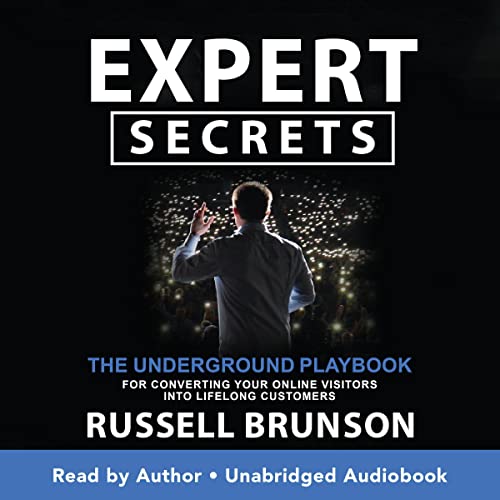
Get your copy of Expert Secrets here
| Offer | Type | Best For | Key Benefit | Investment |
| One Funnel Away Challenge | Free Training | Beginners, Coaches, E-commerce Sellers | Build and launch your first sales funnel with step-by-step guidance | Free |
| Sales Funnels Webinar | Free Webinar | Entrepreneurs & Small Business Owners | Learn the sales funnel strategies used by successful online businesses | Free |
| Five Day Lead Challenge | Free Challenge | Service Providers & Marketers | Generate more leads and build your email list faster | Free |
| AI Webinar Funnel Builder | Free Training + Tool | Coaches, Consultants & Experts | Create a webinar funnel using Artificial Intelligence in minutes | Free |
| The Last Secret | Free Training | Agencies & Entrepreneurs | Learn how to launch a Software-as-a-Service business model | Free |
| ClickFunnels Free Trial | Free Software Trial | Funnel Builders & Businesses | Build funnels, websites and automations risk-free | Free Trial |
| DotCom Secrets | Free Plus Shipping Book | Entrepreneurs & Beginners | Learn the foundations of online sales funnels and customer value ladders | Free + Shipping |
| Expert Secrets | Free Plus Shipping Book | Coaches, Trainers & Consultants | Turn your expertise into a profitable business | Free + Shipping |
| Traffic Secrets | Free Plus Shipping Book | Marketers & Business Owners | Learn sustainable traffic generation strategies | Free + Shipping |
| Secrets of Success Book Box | Free Plus Shipping | Personal Development Enthusiasts | Build success habits and entrepreneurial thinking | Free + Shipping |
| Perfect Webinar Secrets | Low-Ticket Training | Course Creators & Speakers | Use a proven webinar framework to increase conversions | $7 |
| PLR Funnels Masterclass | Training + Funnel Package | Beginners & Side Hustlers | Launch ready-made funnels without creating products from scratch | Paid |
| Course Secrets | Premium Course | Coaches & Experts | Create and sell online courses at scale, Want to know the secret to launching your offer fast? Curious about the fastest way to start generating revenue? Need help carving the perfect offer? | Free Webinar |
| Funnel Hacking Secrets Webinar | Free Webinar + Upsell | Agencies & Marketers | Learn how successful funnels are structured and optimised | Free Webclass |
| Funnel Hacking Secrets Bundle | Premium Programme | Serious Entrepreneurs | Funnel software, training and traffic strategies in one package | Premium $1,970 |
| Funnel Builder Secrets | High-Ticket Programme | Business Owners Ready to Scale | Software, training, templates and advanced funnel resources | High Ticket |
| ClickFunnels 3 months Discount Offer | Software Offer | Business Owners | Save on professional funnel software while building your business | Discounted |
| ClickFunnels Scale Plan | Premium Software | Growing Businesses | Advanced funnel building, automation and scaling tools | Monthly Subscription |
Should You Integrate ClickFunnels and ConvertKit?
You do not necessarily need to.
If your business only needs a simple newsletter, ConvertKit alone may be enough.
If your business primarily needs sales funnels and does not require sophisticated email marketing, ClickFunnels may cover much of what you need.
However, integrating them becomes particularly attractive when you want:
- Funnel-based lead generation
- Email nurturing
- Product sales
- Audience segmentation
- Automated follow-up
- Customer communication
In other words, integration makes the most sense when you want to combine conversion with relationship building.
ClickFunnels and ConvertKit Integration for a Complete Marketing Funnel
A mature online business might eventually use this architecture:
Google / Facebook / YouTube
↓
ClickFunnels
↓
Lead Magnet
↓
ConvertKit
↓
Email Nurturing
↓
ClickFunnels Sales Funnel
↓
Purchase
↓
ConvertKit Customer Segment
↓
Post-Purchase Emails
↓
Upsell / Cross-Sell
↓
Long-Term Customer Relationship
Each component has a defined purpose.

E-commerce is evolving. Learn how to use funnels to sell your physical products more effectively than a traditional store. Start the 30 Day One Funnel Away Challenge for FREE today. [Start the FREE e-comm challenge.]
Frequently Asked Questions
Can ClickFunnels integrate with ConvertKit?
Yes. The available integration methods depend on the current versions and supported features of both platforms. You can potentially connect them directly where supported or use an automation service, webhook or application programming interface for more advanced workflows.
How do I connect ClickFunnels leads to ConvertKit?
Create your ClickFunnels lead-capture funnel, prepare the relevant ConvertKit form, tag or subscriber destination, and then connect the two through a supported integration or automation workflow. Test the connection with a real test submission before launching your campaign.
Can ClickFunnels automatically add leads to ConvertKit?
It can be possible depending on the integration method and current platform capabilities. A supported direct connection or automation platform can be configured to add or update subscribers when a ClickFunnels event occurs.
Can I add ClickFunnels customers to ConvertKit?
Yes, depending on your integration setup. A purchase or other funnel event can potentially trigger a ConvertKit subscriber update or tagging action.
Can ClickFunnels and ConvertKit work together for email marketing?
Yes. ClickFunnels can be used to capture and convert prospects, while ConvertKit can handle ongoing email communication and audience nurturing.
Do I need Zapier to connect ClickFunnels with ConvertKit?
Not necessarily. If a suitable direct integration is available for your particular versions and workflow, you may not need an external automation platform. Zapier or another automation service can be useful when you need a workflow that is not directly supported.
Can I use ClickFunnels and ConvertKit for affiliate marketing?
Yes. ClickFunnels can be used to build an affiliate marketing funnel while ConvertKit can nurture subscribers through email. Make sure you follow the relevant affiliate programme’s rules and disclose affiliate relationships appropriately.
Can I use ClickFunnels and ConvertKit for an online course?
Yes. You can use ClickFunnels to generate course sales and ConvertKit to nurture prospective students and communicate with customers.
Can I use ClickFunnels and ConvertKit for Facebook advertising?
Yes. Facebook can generate traffic, ClickFunnels can capture the visitor and ConvertKit can nurture the resulting lead.
Which is better, ClickFunnels or ConvertKit?
Neither is universally better. ClickFunnels is primarily focused on sales funnels and conversion, while ConvertKit is primarily focused on email marketing and creator audiences. The best choice depends on your business model.
Final Verdict: How to Integrate ClickFunnels With ConvertKit
Learning how to integrate ClickFunnels with ConvertKit is ultimately about creating a bridge between two important parts of digital marketing.
ClickFunnels can help you turn visitors into leads and customers.
ConvertKit can help you turn leads into long-term subscribers and relationships.
A simple system can therefore look like:
Traffic
↓
ClickFunnels
↓
Lead
↓
ConvertKit
↓
Email Sequence
↓
Offer
↓
Customer
For example, imagine that you advertise a free digital marketing guide on Facebook. A prospect clicks the advertisement and enters your ClickFunnels landing page. They submit their email address, and your integration transfers the subscriber to ConvertKit with an appropriate tag. ConvertKit then delivers the guide and begins an educational sequence that eventually introduces your paid product.
The real power comes from what happens next.
When the subscriber purchases, you can potentially change their audience classification and move them away from prospect-focused promotions. Instead, they can receive customer-focused communication, product education and relevant future offers.
This creates a much more intelligent marketing system than simply collecting email addresses.
However, you should avoid making the integration unnecessarily complicated.
Start with:
ClickFunnels Lead
↓
ConvertKit Subscriber
↓
Tag
↓
Email Sequence
Once this works reliably, you can add more sophisticated automation.
You can then introduce:
- Customer segmentation
- Purchase-based automation
- Webinar sequences
- Retargeting
- Upsells
- Cross-sells
- Customer onboarding
- Long-term newsletters
The most important principle is to design your marketing journey before configuring the technology.
Ask yourself:
What should happen when someone becomes a lead?
Then:
What should happen when that person becomes a customer?
Finally:
What should happen after they become a customer?
Your answers should determine the automation.
Ultimately, the best ClickFunnels and ConvertKit integration is not necessarily the most complicated one. It is the one that reliably moves the right information to the right audience at the right stage of the customer journey.
When configured properly, ClickFunnels can become the conversion engine, while ConvertKit becomes the relationship and email engine.
Together, they can form a powerful marketing system for creators, coaches, consultants, affiliate marketers, ecommerce businesses, course creators and other online businesses.
Your workspace is cluttered with distractions, and you lack physical reminders of the high standards and immense wealth you are trying to build. Imagine a premium box of rare, unpublished success manuscripts arriving at your doorstep, instantly transforming your office into a hub of elite focus. Claim your foundational library today. Get the free + shipping Think and Grow Rich Books Box to physically anchor the legendary wisdom discussed inside the 1357 Success Club.
Affiliate Disclosure – Affiliate links are used in this article. If you make a purchase through them, I may earn a small commission – at no additional cost to you.
.