How to Create a Personal Blog: A Step-by-Step Guide for Beginners


Creating a personal blog is one of the most powerful ways to express your ideas, build a personal brand, share knowledge, and even generate income over time. Whether you want to blog about lifestyle, business, technology, education, or personal experiences, the process of starting a blog has become far more accessible than ever before. However, accessibility does not remove the need for making the right decisions from the beginning.
Accordingly, this guide walks you through how to create a personal blog step by step, using a practical and beginner-friendly approach. You will learn not only what to do, but also why each step matters, so that you can avoid common mistakes that limit growth. Throughout this article, you will also find references to hands-on YouTube tutorials that visually demonstrate the most important stages of the process, allowing you to follow along with confidence.
- Step 1: Define the Purpose and Direction of Your Personal Blog
- Step 2: Choose a Blogging Platform (WordPress vs AI Builders)
- Step 3: Buy a Domain Name and Web Hosting
- Step 4: Install WordPress and Configure Basic Settings
- Step 5: Choose and Customise a Blog Theme
- Step 6: Create Essential Pages (About, Contact, Privacy Policy)
- Step 7: Write and Publish Your First Blog Posts
- Step 8: Create a Professional Blog Email Address
- Step 9: Use AI to Speed Up Blog Creation (Optional but Powerful)
- Step 10: Optimise Your Blog for SEO and Growth
- Conclusion: Start Your Personal Blog with Confidence
Step 1: Define the Purpose and Direction of Your Personal Blog
Before purchasing hosting or choosing a design, you must clearly define the purpose of your personal blog. Many beginners skip this step and later struggle with consistency, content ideas, and audience growth. A personal blog can serve many goals, including sharing opinions, documenting a journey, teaching skills, or positioning yourself as an authority in a niche.
Additionally, you should decide who the blog is for and what problem or interest it addresses. For example, a personal finance blog serves a different audience from a travel or academic blog. When your purpose is clear, every future decision, including design, content structure, and monetisation, becomes easier. As a result, your blog feels focused rather than scattered.

Customers often get lost without a clear path toward making a purchase. Imagine guiding customers smoothly from awareness to conversion. Challenge Secrets Masterclass teaches how to map effective customer journeys.
Learn More About Sales FunnelsStep 2: Choose a Blogging Platform (WordPress vs AI Builders)
Once your purpose is defined, the next critical decision is choosing the right platform. In most cases, WordPress is the best option for personal bloggers because it offers flexibility, scalability, and full ownership of your content. You can customise your blog extensively, add plugins, and optimise it for search engines without restrictions.
However, if you want speed and simplicity, AI-powered website builders are becoming increasingly popular. These tools allow you to generate a blog structure automatically without technical knowledge. Although AI builders are excellent for fast deployment, WordPress remains the strongest option if you plan to grow your blog long-term.
At this stage, you should think about how comfortable you are with learning new tools. If you want maximum control and future-proofing, WordPress is ideal. If you prefer speed and minimal setup, AI-based solutions may suit you better initially.
Step 3: Buy a Domain Name and Web Hosting
Your domain name is your blog’s identity, while hosting is the foundation that keeps your blog online. Choosing reliable hosting is essential because it affects speed, security, uptime, and user experience. A slow or unreliable blog discourages readers and harms search engine rankings.
A beginner-friendly option is Hostinger, which offers affordable plans, free domains, SSL certificates, and simple dashboards for beginners. When selecting a domain, choose a name that is easy to remember, relevant to your blog topic, and future-proof. Avoid overly long or complicated names that limit branding potential.
Video Tutorial: How to Create a Personal WordPress Blog
Step-by-step WordPress website creation on Hostinger – How to get the Hostinger Business hosting plan + domain registration, fast server data centre setup, WordPress installation, theme customisation, and creating posts and pages.”
By watching this video, you will visually learn how to register a domain, select hosting, choose a server location close to your audience, and install WordPress correctly. This matters because correct setup from the start improves website speed, stability, and overall performance for you and your readers.

Struggling to manage your WordPress site with poor performance and technical issues, imagine a smooth and optimised blogging experience with fast loading pages, Hostinger offers specialised WordPress hosting for seamless performance.
Step 4: Install WordPress and Configure Basic Settings
After securing hosting and a domain, the next step is installing WordPress. Most modern hosting providers offer one-click WordPress installation, which eliminates the need for manual configuration. Once installed, you should configure essential settings such as site title, tagline, permalink structure, and timezone.
Additionally, you should set your permalinks to a search-engine-friendly format, typically using post names. This improves readability and helps search engines understand your content structure. You should also delete default content and install only essential plugins to keep your blog lightweight.
Although these steps may seem small, they form the technical foundation of your blog. Poor initial configuration often leads to issues later that require time-consuming fixes.
Step 5: Choose and Customise a Blog Theme
Your theme controls how your blog looks and feels. A good theme should be clean, mobile-responsive, fast-loading, and easy to customise. For personal blogs, simplicity often performs better than complex designs because it improves readability and user experience.
When choosing a theme, focus on typography, spacing, and layout rather than flashy animations. Your readers should be able to consume content comfortably on both desktop and mobile devices. Customise colours and fonts to reflect your personality or brand, but maintain consistency throughout the blog.
Remember that design supports content, not the other way around. A visually simple but well-structured blog often outperforms a visually complex one in terms of engagement and retention.
Step 6: Create Essential Pages (About, Contact, Privacy Policy)
Every professional personal blog needs a few core pages. The About page introduces who you are, why you blog, and what readers can expect. This page builds trust and personal connection, which is especially important for personal brands.
The Contact page allows readers, collaborators, or potential clients to reach you easily. In addition, legal pages such as a Privacy Policy and Disclaimer are essential, especially if you plan to monetise your blog through advertising or affiliate marketing.
These pages signal credibility to both users and search engines. As a result, your blog appears more trustworthy and professional.
Step 7: Write and Publish Your First Blog Posts
Now comes the core of blogging: content creation. Start by writing a few foundational posts that explain your main topics clearly. These posts should be informative, well-structured, and written for humans rather than search engines.
Use headings, short paragraphs, and internal links to improve readability. Additionally, focus on solving problems, sharing experiences, or offering insights rather than writing generic content. Consistency matters more than perfection at this stage, so aim to publish regularly rather than waiting endlessly to refine every post.
Over time, your writing style will improve naturally as you gain confidence and feedback.
Step 8: Create a Professional Blog Email Address
A professional email address using your blog domain enhances credibility and helps you manage communication effectively. Instead of using free email services, a domain-based email makes your blog appear serious and established.
How to create a professional business email
This tutorial shows you how to create a branded email address and integrate it with Gmail for convenience. This matters because it allows you to manage blog-related communication professionally without changing your daily workflow.

My business struggled to appear credible when competing with established companies using professional email systems. Imagine competing confidently with professional brands using a polished and trusted email identity. Hostinger Business Email strengthens my credibility and positions my brand as professional and reliable.
Email Marketing for your Personal Blog

I used to struggle with sending email campaigns manually, which wasted time and limited my marketing reach. Imagine automating your email marketing so every campaign reaches the right audience at the perfect time effortlessly. With Hostinger Reach for Email Marketing, I can automate campaigns and deliver targeted messages that convert more customers.
Ready to learn the secrets behind successful email marketing? Join this free webinar and learn directly from a successful email marketing genius who reveals the strategies used to build powerful email lists and turn subscribers into valuable business opportunities.
Step 9: Use AI to Speed Up Blog Creation (Optional but Powerful)
If you want to save time and reduce costs, AI tools can significantly accelerate blog creation. AI-powered platforms allow you to generate blog layouts, pages, and even content drafts without coding knowledge.
How to Create a Personal Blog using AI without coding
By watching this video, you will see how AI can help you create blogs and even simple web applications quickly. This is especially valuable if you want to experiment with ideas, launch multiple blogs, or avoid hiring a web designer. AI allows you to test ideas faster and refine them based on results.

My websites and applications struggled to scale as traffic and user demand increased. Imagine a system where both your website and web application grow smoothly without performance issues. Hostinger Horizons AI builds scalable AI websites and web apps designed to handle growing demand.
Step 10: Optimise Your Blog for SEO and Growth
Search engine optimisation is essential if you want people to find your blog organically. Start by optimising titles, meta descriptions, headings, and internal links. Focus on writing content that answers real questions rather than chasing keywords aggressively.
Additionally, ensure your blog loads quickly, is mobile-friendly, and uses secure HTTPS connections. Over time, you can expand into email newsletters, social media promotion, and monetisation strategies such as affiliate marketing or digital products.
Growth is gradual, but consistent effort compounds results.
Claim your copy of Traffic Secrets
| Offer | Type | Best For | Key Benefit | Investment |
| One Funnel Away Challenge | Free Training | Beginners, Coaches, E-commerce Sellers | Build and launch your first sales funnel with step-by-step guidance | Free |
| Sales Funnels Webinar | Free Webinar | Entrepreneurs & Small Business Owners | Learn the sales funnel strategies used by successful online businesses | Free |
| Five Day Lead Challenge | Free Challenge | Service Providers & Marketers | Generate more leads and build your email list faster | Free |
| AI Webinar Funnel Builder | Free Training + Tool | Coaches, Consultants & Experts | Create a webinar funnel using Artificial Intelligence in minutes | Free |
| The Last Secret | Free Training | Agencies & Entrepreneurs | Learn how to launch a Software-as-a-Service business model | Free |
| ClickFunnels Free Trial | Free Software Trial | Funnel Builders & Businesses | Build funnels, websites and automations risk-free | Free Trial |
| DotCom Secrets | Free Plus Shipping Book | Entrepreneurs & Beginners | Learn the foundations of online sales funnels and customer value ladders | Free + Shipping |
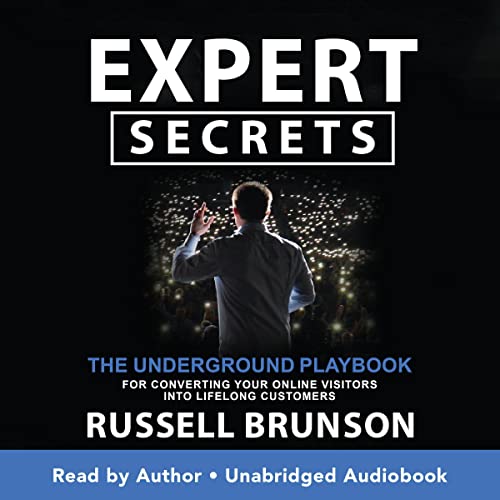
| Expert Secrets | Free Plus Shipping Book | Coaches, Trainers & Consultants | Turn your expertise into a profitable business | Free + Shipping |
| Traffic Secrets | Free Plus Shipping Book | Marketers & Business Owners | Learn sustainable traffic generation strategies | Free + Shipping |
| Secrets of Success Book Box | Free Plus Shipping | Personal Development Enthusiasts | Build success habits and entrepreneurial thinking | Free + Shipping |
| Perfect Webinar Secrets | Low-Ticket Training | Course Creators & Speakers | Use a proven webinar framework to increase conversions | $7 |
| PLR Funnels Masterclass | Training + Funnel Package | Beginners & Side Hustlers | Launch ready-made funnels without creating products from scratch | Paid |
| Course Secrets | Premium Course | Coaches & Experts | Create and sell online courses at scale, Want to know the secret to launching your offer fast? Curious about the fastest way to start generating revenue? Need help carving the perfect offer? | Free Webinar |
| Funnel Hacking Secrets Webinar | Free Webinar + Upsell | Agencies & Marketers | Learn how successful funnels are structured and optimised | Free Webclass |
| Funnel Hacking Secrets Bundle | Premium Programme | Serious Entrepreneurs | Funnel software, training and traffic strategies in one package | Premium $1,970 |
| Funnel Builder Secrets | High-Ticket Programme | Business Owners Ready to Scale | Software, training, templates and advanced funnel resources | High Ticket |
| ClickFunnels 3 months Discount Offer | Software Offer | Business Owners | Save on professional funnel software while building your business | Discounted |
| ClickFunnels Scale Plan | Premium Software | Growing Businesses | Advanced funnel building, automation and scaling tools | Monthly Subscription |
Conclusion: Start Your Personal Blog with Confidence
Creating a personal blog is no longer a technical challenge but a strategic one. By following these steps in the correct order, you build a strong foundation that supports long-term growth, visibility, and credibility. From choosing the right platform and hosting to publishing meaningful content and using AI tools wisely, each decision plays a role in your success.
Most importantly, start where you are and improve as you go. A personal blog grows through consistency, authenticity, and value. When you combine the practical steps in this guide with the video tutorials provided, you give yourself everything needed to launch and grow your blog confidently this year and beyond.

You are trying to figure out complex scaling strategies completely on your own, wasting months of time and capital making expensive, avoidable mistakes. Imagine tapping into the Master Mind principle, harnessing the combined intellectual power of elite peers to solve your biggest business bottlenecks instantly. Stop guessing and start accelerating. Build your ultimate mastermind group during the Think and Grow Rich Challenge.
Affiliate Disclosure – Some links on this page are affiliate links. If you click and make a purchase, I may receive a commission at no additional cost to you.


